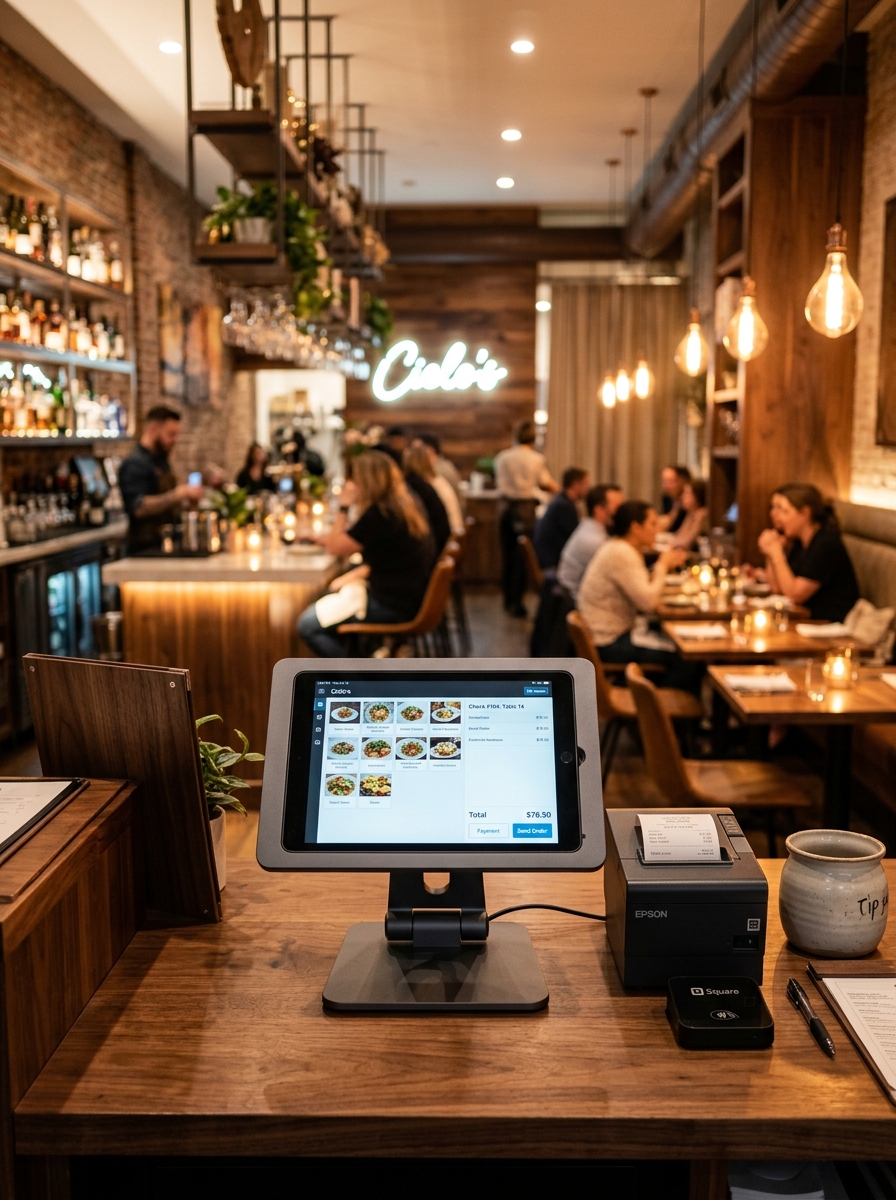
Faster Billing.
Smoother Restaurant Operations.
Manage orders, bills, payments and restaurant transactions from one connected POS built around the way your team actually works.
Current Order
Faster Billing
Create and process restaurant bills with a focused POS workflow.
One Order View
Keep selected items, quantities and totals visible in one place.
Multiple Order Types
Support dine-in, takeaway and delivery workflows seamlessly.
Connected Payments
Connect billing with payment processing and transaction records.
Restaurant Billing Shouldn’t Slow Down Service.
During peak lunch and dinner rush hours, manual billing calculations create bottleneck queues at your counter. Compare traditional billing against Geni Menu POS.
Traditional Billing
Manual & Fragmented Cash Counter Workflow
- • Manual price calculations and paper notepad item counting
- • Separate order slips that disconnect kitchen from cash desk
- • Slow bill preparation causing guest frustration at exit
- • Payment confusion during split bills or multiple payment types
- • Zero real-time visibility into daily sales and pending table tabs
Geni Menu POS
Connected & Instant Billing Workspace
- ✓ Digital menu items automatically connected to POS cashier touch-grid
- ✓ Orders, tables, and item modifiers unified in one workspace
- ✓ Instant automatic subtotal, discount, and tax calculation
- ✓ Clear multi-payment method collection (Cash, Card, UPI)
- ✓ Live sales reports and instant transaction reconciliation
Everything Your Cash Counter Needs.
Give your billing team one focused workspace for creating orders, managing bills and completing payments with maximum speed.
Current Order
Table T08One POS. Different Restaurant Orders.
Whether guests dine in at your tables or order takeaway at the counter, process every order type with speed and precision.
Dine-in
Connect the order directly with a dining table number and keep track of open table tabs.
Takeaway
Process counter orders for customers collecting packed food with quick payment options.
Delivery
Manage delivery order bills with customer addresses and rider assignment tracking.
Pickup
Keep self-collection orders identified and ready for immediate handover upon arrival.
Your Menu and POS Work Together.
Item prices, categories, portion sizes, and add-on options configured in Menu Management appear instantly on your POS touch-screen.
Chicken Biryani
Base Price: ₹280
Live Cart Item View
Every Table Can Connect Directly to the Bill.
Select any table from your digital floor map to instantly view its live active bill and add items or complete payment.
Table T04 Details
Make Every Bill Clear.
Generate clean, compliant tax invoices with clear itemized pricing, discounts, tax breakdowns and payment status for your guests.
| Item | Qty | Amount |
|---|---|---|
| Chicken Biryani | 2 | ₹560.00 |
| Paneer Tikka | 1 | ₹220.00 |
| Lime Soda | 2 | ₹160.00 |
Finish Every Transaction Smoothly.
Apply percentage or flat discounts, split payment methods, and reconcile completed transactions in real time.
Apply Discounts & Offers
Easily apply flat amount deductions or percentage discounts before final bill settlement.
Split Payment Collection
Accept payments across Cash, Cards, UPI QR codes or split payment amounts.
Transaction Completed
Payment fully received & receipt issued.
Payment Awaiting
Bill generated; awaiting cash/UPI settlement.
Partial Payment
Deposit or advance received on bill.
Requires Attention
Declined digital payment attempt.
Keep Customer Information Connected to Orders.
Recognize repeat guests, view their dining history, and attach loyalty notes directly from the POS billing screen.
Priya Kumar
+91 98765 43210 · VIP Regular Guest
Connected Customer Journey
Every time a bill is generated, Geni Menu connects customer preferences, repeat orders, and total spending into your analytics database.
Built for Busy Restaurant Counters.
Handle high dinner-rush order volumes with live status counters and instant table order tracking.
From Order to Payment.
See how Geni Menu POS fits seamlessly into your entire dining room service workflow.
Every Transaction Becomes Business Data.
Turn counter billing activity into real-time operational insights, daily revenue totals and order type distributions.
Today's Sales Summary
Sales Distribution by Hour
Give Every Team Member the Right Workspace.
Customized POS views for Cashiers, Waiters, Managers and Restaurant Admins.
Cashier
Focused on speed billing and cash collection.
- ✓ Create fast orders
- ✓ Generate bill invoices
- ✓ Process cash/UPI payments
Waiter
Mobile table-side order entry.
- ✓ Table order creation
- ✓ Add item modifiers
- ✓ View open table tabs
Manager
Floor supervision and void/discount approvals.
- ✓ Monitor live sales
- ✓ Review register totals
- ✓ Manage active orders
Admin
Complete business configuration.
- ✓ Configure POS settings
- ✓ Review sales reports
- ✓ Manage tax/pricing rules
POS Built for Different Food Businesses.
Whether you run a fast-paced QSR, a fine dining restaurant, a cozy café or a bakery, Geni Menu adapts to your operational style.
Fine Dining
Table-side ordering, course management, and elegant split billing.
QSR & Fast Food
Ultra-fast counter ordering with direct printer receipt generation.
Cafés & Bakeries
Quick beverage selection, cake customization add-ons, and instant checkout.
Your POS Is Connected to the Rest of Your Restaurant.
Geni Menu POS acts as the central engine connecting every digital workflow in your establishment.
Menu Management
Prices, stock & item variants update automatically on POS.
Table Management
Live table status & occupied bills sync instantly.
KOT Management
Orders created on POS trigger immediate kitchen tickets.
Reports & Analytics
Completed billing feeds real-time sales and revenue reporting.
Frequently Asked Questions.
Everything you need to know about Geni Menu POS Management.
Bring Orders, Billing and Payments Together.
Give your restaurant team a connected POS built around real restaurant service — from order creation to completed payment.